
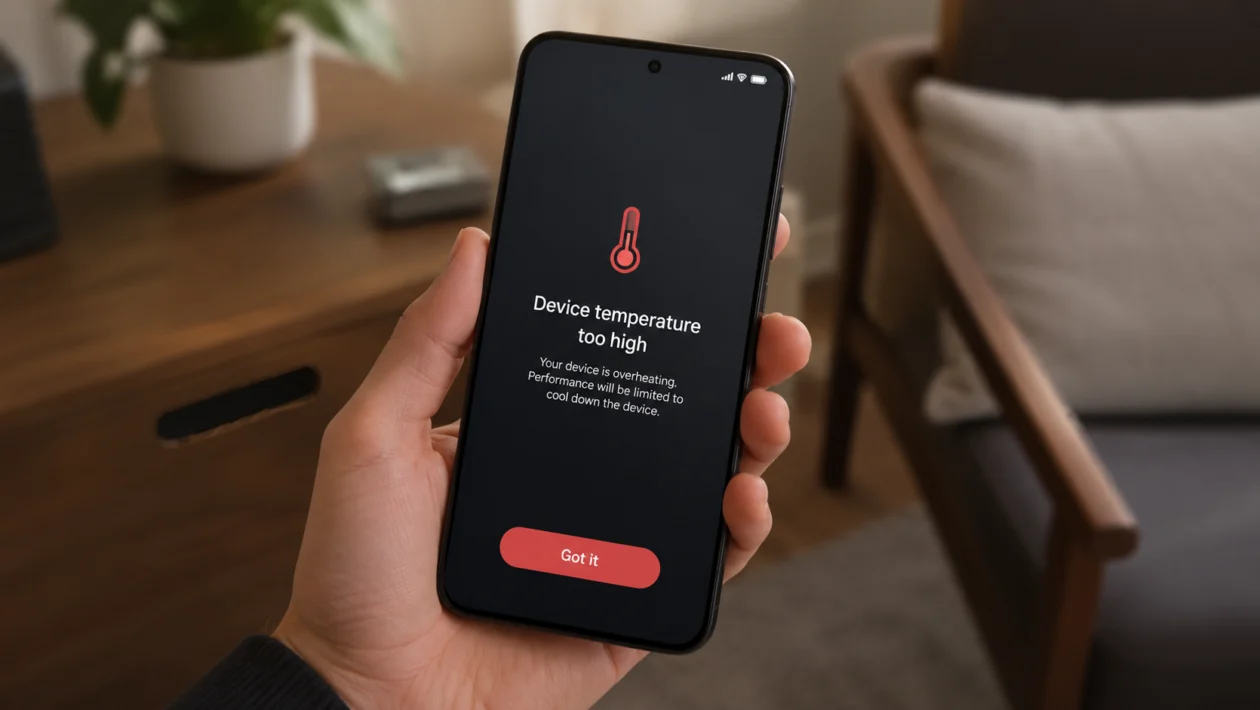
If your Xiaomi 17T Pro feels hot during charging, gaming, video recording, mobile data use, or even normal scrolling, do not ignore it. A little warmth is normal, especially with fast charging and heavy apps. But if the phone gets uncomfortable to hold, slows down, drains battery quickly, or shows temperature warnings, something needs to be checked.
Overheating can come from fast charging, background apps, high brightness, 5G signal problems, gaming, camera use, a recent HyperOS update, or charging in a warm place. Xiaomi also warns that high ambient temperatures, fast charging, and charging with a case on can make a phone heat up more than usual.
Start with the simple fixes first. Let the phone cool down, check battery usage, reduce charging speed, update the software, then look at display, network, and app settings.
Quick answer
If your Xiaomi 17T Pro is overheating, remove the case, stop charging for a few minutes, close heavy apps, and move the phone to a cool, shaded area. Then go to Settings > Battery and check which apps are using the most power.
If the phone gets hot while charging, use the original Xiaomi charger and cable, avoid gaming while plugged in, and switch from faster charging to a standard charging mode if that option appears in your Battery settings.
If overheating started after a HyperOS update, restart the phone, update your apps, and monitor it for 24 to 48 hours. The phone may need time to re-optimize apps and background services after a major update.
Xiaomi 17T Pro overheating diagnostic table
| Symptom | Likely cause | What to check first |
|---|---|---|
| Phone gets hot while charging | Fast charging, case trapping heat, warm room | Charger, cable, case, charging mode |
| Phone heats during gaming | High graphics, 144Hz refresh rate, performance mode | Game settings, refresh rate, Battery settings |
| Phone gets hot on mobile data | Weak 5G signal or network searching | Signal strength and network mode |
| Phone heats after update | Apps re-indexing or background optimization | Restart, update apps, wait 24 to 48 hours |
| Phone gets warm while recording video | Camera, processor, screen brightness | Camera settings and recording length |
| Phone overheats while idle | Background app, syncing, location access | Battery usage and app permissions |
| Phone heats and battery drains fast | App bug, weak signal, high brightness | Battery usage, signal, display settings |
| Phone shows temperature warning | Device is too hot for safe operation | Stop using it and let it cool |
| Phone slows down when hot | Thermal throttling | Reduce workload and cool the phone |
| Phone stays hot after cooling | Possible hardware or battery issue | Xiaomi support or service center |
Why is my Xiaomi 17T Pro overheating?
Your Xiaomi 17T Pro may overheat when the processor, battery, display, modem, or charging system is working harder than usual.
Common causes include:
Fast charging
Gaming or high-performance apps
Video recording
High screen brightness
High refresh rate
5G in weak signal areas
Hot weather or direct sunlight
Background apps
Location access
Hotspot use
A recent HyperOS update
A faulty charger or cable
Battery or hardware issues
The Xiaomi 17T Pro has a bright AMOLED display and high-refresh-rate screen, so display settings can affect heat during long use. It also supports modern fast charging features, and fast charging naturally creates more heat than slower charging.
Use the 10 fixes below in order.
1. Let the Xiaomi 17T Pro cool down first
Do this before changing settings.
If the phone is already hot, stop using it for a few minutes. Remove the case, unplug the charger, close the camera or game, and place the phone on a cool surface away from sunlight.
Do not put the phone in a freezer or refrigerator. Sudden temperature changes can create moisture inside the device.
Do this:
- Unplug the charger.
- Remove the phone case.
- Close games, camera, maps, hotspot, or video apps.
- Turn the screen off.
- Move the phone to a shaded, ventilated place.
- Wait 10 to 15 minutes before using it again.
If the phone shows a temperature warning, let it cool before charging or using it again.
2. Check battery usage for overheating apps
An app can make the Xiaomi 17T Pro heat up even when you are not actively using it. This usually happens with social media apps, games, camera apps, navigation apps, VPNs, shopping apps, and apps that constantly sync in the background.
Go to:
Settings > Battery > Battery usage
Look for apps that used more battery than expected.
Pay attention to:
Apps you barely opened
Apps running in the background
Recently installed apps
Games using high power
Social apps using location often
Navigation apps left active
Camera or video apps still running
If one app stands out, update it first. If it still causes heat, restrict its background activity or uninstall it for a day.
3. Restart the phone
A restart can fix temporary overheating caused by stuck apps, background processes, or system services.
Do this:
- Press and hold the Power button.
- Tap Restart.
- Wait for the phone to turn back on.
- Use it normally for a few hours.
- Check whether the heat comes back.
This will not delete your files.
If the phone started overheating after installing an app, restart first, then check Battery usage again.
4. Use the original charger and avoid heavy use while charging
The Xiaomi 17T Pro may get warm while charging, especially if you are using fast charging. That is normal to a point. But it should not become too hot to hold.
Use the original Xiaomi charger and cable when possible. Cheap or damaged chargers can cause unstable charging, extra heat, slower charging, or battery stress.
Also avoid gaming, video calls, hotspot, camera use, or long scrolling while the phone is plugged in. Charging already creates heat. Heavy use adds more heat on top of it.
Do this:
- Use the original charger and cable.
- Plug into a wall outlet.
- Remove the case while charging.
- Place the phone on a flat, cool surface.
- Do not cover the phone with fabric, pillows, or bags.
- Avoid gaming while charging.
5. Turn off top-speed charging if available
Some Xiaomi phones let you choose a faster charging mode. If your Xiaomi 17T Pro heats up while plugged in, switching to a standard charging mode can help.
Go to:
Settings > Battery > Charging options
Look for a setting related to faster wired charging, boost charging, or top-speed charging. The exact wording can vary by region and HyperOS version.
If you see it, switch to the slower or standard option.
This may increase charging time, but it can reduce heat and help the phone stay more comfortable during charging.
Use this setting especially if:
The phone heats up within minutes of charging
You charge overnight
You live in a hot area
You use a thick case
You do not need the fastest possible charging speed
6. Lower brightness and refresh rate
The screen can be one of the biggest heat sources during daily use. The Xiaomi 17T Pro has a high-refresh-rate AMOLED display, which is great for smooth scrolling and gaming, but it can use more power when brightness and refresh rate are high.
Start with brightness.
Go to:
Settings > Display > Brightness level
Lower the brightness manually or turn on automatic brightness if you prefer.
Then check refresh rate.
Go to:
Settings > Display > Refresh rate
Choose a lower refresh rate if battery life and temperature matter more than the smoothest scrolling.
This is worth doing if the phone heats up during:
TikTok or Reels scrolling
Gaming
Outdoor use
Long browsing sessions
Video streaming
Navigation
Also reduce screen timeout.
Go to:
Settings > Display > Sleep
Choose 30 seconds or 1 minute.
7. Switch from 5G to 4G when signal is weak
A weak 5G signal can make the Xiaomi 17T Pro work harder to stay connected. This can increase heat and drain battery faster, especially indoors, in elevators, inside vehicles, or in areas with patchy coverage.
If the phone gets hotter on mobile data than on Wi-Fi, test 4G/LTE for a day.
Go to:
Settings > SIM cards & mobile networks > Choose your SIM > Preferred network type
Select 4G/LTE if available.
Use this fix if overheating happens when:
You are outside on mobile data
You are commuting
You are using hotspot
You are in a weak-signal area
The phone keeps switching between 5G and 4G
If the phone cools down on 4G, the issue may be signal-related rather than a hardware problem.
8. Close background apps and limit auto-start
Some apps start automatically and keep running even after you close them. This can create heat, especially if they sync data, track location, send notifications, or run services in the background.
Go to:
Settings > Apps > Permissions > Autostart in background
Turn off auto-start for apps that do not need it.
Then check battery restrictions.
Go to:
Settings > Battery > Battery usage > Select app
Choose a stricter battery setting for apps that are causing heat.
Do not restrict important apps you rely on for messages, banking alerts, work notifications, or security codes unless you are okay with delayed notifications.
Good apps to check first:
Games
Shopping apps
Food delivery apps
Social media apps
VPN apps
Fitness tracking apps
Navigation apps
File syncing apps
9. Update HyperOS and your apps
Overheating can happen after a software update, but updates can also fix overheating bugs. The right move is to make sure both HyperOS and your apps are current.
To update HyperOS:
Settings > About phone > HyperOS version > Check for updates
To update apps:
Google Play Store > Profile icon > Manage apps and device > Update all
Also check the Xiaomi app store or system app updater if your region uses Xiaomi system app updates.
If overheating started right after a HyperOS update, give the phone 24 to 48 hours. During that time, the system may be optimizing apps, rebuilding caches, syncing files, and adjusting background behavior.
If the phone is still overheating after two days, continue with the next fixes.
10. Check for hardware or battery problems
If your Xiaomi 17T Pro stays hot even after cooling, restarting, updating, and reducing heavy settings, it may need service.
Contact Xiaomi support or visit an authorized service center if:
The phone gets hot while idle
The phone shuts down by itself
The battery drains unusually fast
The phone smells unusual
The back panel swells or separates
Charging stops because of temperature warnings
The phone gets too hot to hold
The heat started after a drop or liquid exposure
Overheating continues after a factory reset
Do not keep charging the phone if you suspect battery swelling or physical damage.
Before going to a service center, back up your data.
Go to:
Settings > About phone > Backup and restore
Or use your Xiaomi account, Google account, or computer backup.
Should you factory reset the Xiaomi 17T Pro?
A factory reset should not be your first fix. It deletes your personal files, apps, photos, and settings unless you back them up first.
Try a factory reset only if:
Overheating started after a major update
You already removed suspicious apps
Battery usage does not show a clear cause
The phone overheats even after updates
You have already backed up your files
Go to:
Settings > About phone > Factory reset
After the reset, test the phone before reinstalling all your apps. If it stays cool with a clean setup, one of your apps or settings may have caused the issue.
How to prevent Xiaomi 17T Pro overheating again
Keep the phone out of direct sunlight.
Remove thick cases while charging.
Avoid gaming while charging.
Use Wi-Fi when mobile signal is weak.
Keep HyperOS and apps updated.
Lower brightness during long sessions.
Use 4G instead of 5G in weak-signal areas.
Close apps that keep running in the background.
Do not leave the phone under pillows, blankets, or bags.
Use the original charger and cable whenever possible.
FAQ
Is it normal for the Xiaomi 17T Pro to get warm?
Yes, some warmth is normal during fast charging, gaming, video recording, navigation, hotspot use, or outdoor use. It becomes a problem if the phone gets too hot to hold, slows down, shuts down, or shows a temperature warning.
Why does my Xiaomi 17T Pro get hot while charging?
It may be using fast charging, charging in a hot room, charging with a thick case, or running apps in the background. Remove the case, stop using the phone while plugged in, and use the original charger.
Can 5G make the Xiaomi 17T Pro overheat?
Yes. If the 5G signal is weak, the phone may use more power to stay connected. Try switching to 4G/LTE for a day and check if the phone runs cooler.
