
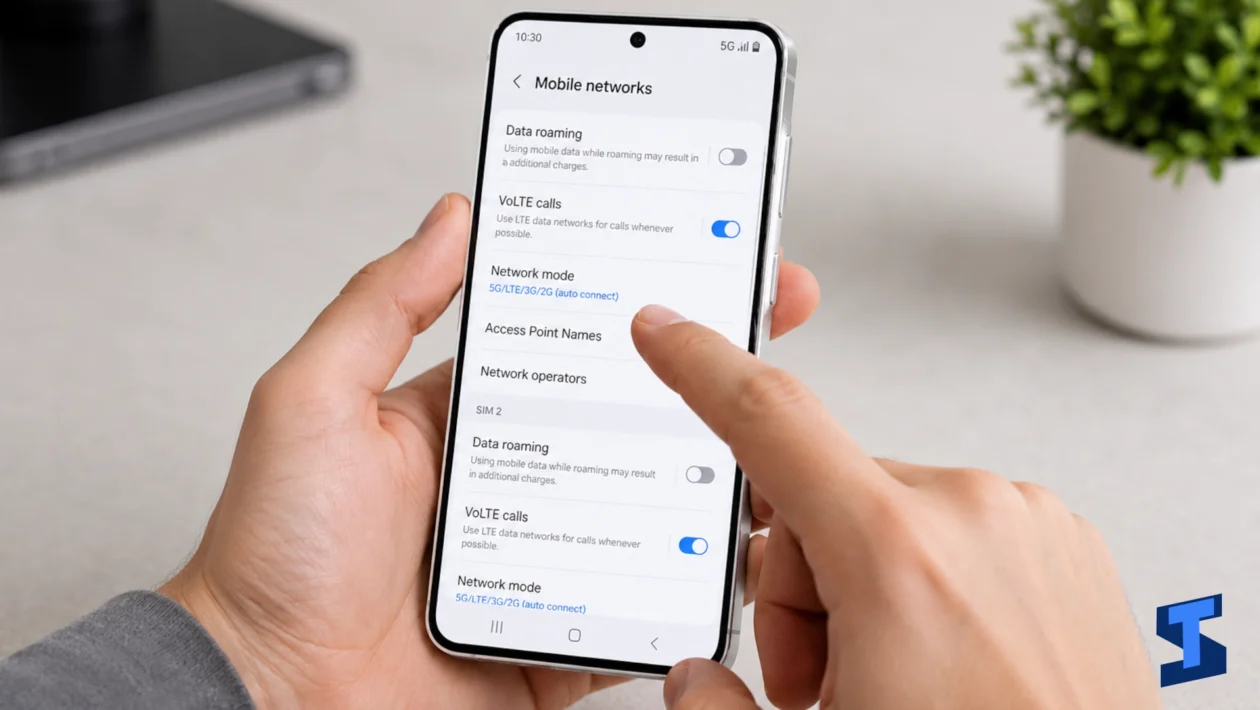
Mobile network problems on the Galaxy A57 can affect almost everything you do on your phone. If mobile data is not working, 5G is not showing, your SIM card is not detected, or calls keep dropping, you may lose access to calls, texts, internet, hotspot sharing, and important online services.
This page covers the most common Galaxy A57 mobile data, SIM, and 5G problems. Use it as your starting point if your phone has no signal, cannot connect to mobile internet, fails to send messages, or has unstable network performance.
For a complete device troubleshooting hub, you can also visit the main Galaxy A57 problems and fixes page.
Common Galaxy A57 Mobile Network Problems
The Galaxy A57 depends on your SIM card, carrier network, mobile data settings, signal strength, APN settings, and software configuration to stay connected. When one of these fails, your phone may lose signal, stop detecting the SIM card, fail to connect to 5G, or show slow internet speeds.
Some problems are caused by the phone. Others may be caused by your carrier, SIM card, account status, location, network coverage, or temporary service outages.
Start with the issue that matches what is happening on your device.
Galaxy A57 5G Not Showing
If 5G is not showing on your Galaxy A57, it does not always mean the phone is broken. The issue may be caused by limited 5G coverage, a non-5G SIM, a plan that does not include 5G access, disabled 5G network mode, or carrier restrictions.
You may also see 4G or LTE instead of 5G when you are indoors, far from a 5G tower, using power saving settings, or connected to a network band that does not support 5G in your area.
Use this guide if your Galaxy A57 supports 5G but the 5G icon is missing or the phone stays on LTE.
Galaxy A57 Mobile Data Not Working
Mobile data problems can prevent apps, browsers, maps, email, social media, and messaging services from connecting to the internet when Wi-Fi is off. Your Galaxy A57 may show signal bars but still fail to load websites or apps.
This can happen because mobile data is turned off, airplane mode is enabled, data limit is reached, APN settings are incorrect, the SIM account has no active data plan, or the carrier network is having an issue.
Before assuming there is a phone problem, check if calls and texts work. If only internet access is affected, the issue may be related to mobile data settings or carrier data service.
Galaxy A57 No Signal
If your Galaxy A57 has no signal, you may see “No service,” “Emergency calls only,” or empty signal bars. This can stop calls, texts, mobile data, verification codes, and hotspot sharing from working.
No signal problems may be caused by poor coverage, carrier outage, SIM card issues, airplane mode, incorrect network mode, account problems, or temporary software glitches.
If this happens in only one location, the issue may be weak network coverage. If it happens everywhere, you may need to check the SIM card, reset network settings, or contact your carrier.
Galaxy A57 SIM Card Not Detected
If your Galaxy A57 does not detect the SIM card, the phone may show messages like “No SIM,” “SIM card not inserted,” or “Invalid SIM.” When this happens, calls, texts, mobile data, and carrier services may stop working.
The issue may be caused by a loose SIM tray, damaged SIM card, dirty SIM contacts, incorrect SIM placement, carrier lock, or software error.
Try removing and reinserting the SIM card properly. If possible, test the SIM card on another phone or test another SIM card on your Galaxy A57. This can help you know whether the problem is with the SIM or the phone.
Galaxy A57 Calls Keep Dropping
Dropped calls can happen when your Galaxy A57 loses signal during a call or switches between network bands. This can be frustrating, especially if it happens during important conversations.
Common causes include weak signal, network congestion, carrier issues, damaged SIM card, outdated software, Wi-Fi Calling problems, or unstable mobile network settings.
If dropped calls happen indoors, try moving closer to a window or turning on Wi-Fi Calling if your carrier supports it. If calls drop everywhere, check your SIM card and carrier service status.
For related audio issues, visit the Galaxy A57 sound and call problems page.
Galaxy A57 Text Messages Not Sending
If text messages are not sending on your Galaxy A57, the issue may be related to signal, SIM service, message center settings, carrier account status, blocked contacts, RCS settings, or the messaging app.
You may see errors like “Message not sent,” “Failed to send,” or messages stuck on sending. This can affect regular SMS, MMS, or chat messages depending on the app and network service you use.
If only SMS fails, check your signal and SIM service. If MMS or RCS fails, make sure mobile data is working because these features often need data access.
Galaxy A57 Mobile Hotspot Not Working
Mobile Hotspot lets you share your Galaxy A57 mobile data connection with another phone, tablet, or laptop. If hotspot is not working, other devices may not see your hotspot, fail to connect, or connect without internet access.
This issue may happen because mobile data is off, your carrier does not allow hotspot sharing, the plan has hotspot limits, battery saver is restricting background activity, or the hotspot password and band settings are incorrect.
If your phone itself cannot access mobile data, fix that first before troubleshooting hotspot. Hotspot depends on a working mobile data connection.
Galaxy A57 Slow Mobile Internet
Slow mobile internet can make browsing, streaming, downloads, online games, and app updates feel frustrating. Your Galaxy A57 may still show 4G, LTE, or 5G, but pages load slowly or apps take too long to refresh.
This can be caused by weak signal, network congestion, limited carrier coverage, data throttling, background downloads, VPN apps, outdated carrier settings, or temporary software glitches.
If Wi-Fi works fine but mobile data is slow, the issue is likely related to carrier network performance, mobile settings, or your current location.
You can also check the Wi-Fi and Bluetooth troubleshooting page if the problem happens only when using Wi-Fi.
What Causes Galaxy A57 Mobile Data, SIM, and 5G Problems?
Mobile network issues can have many causes. Some are easy to fix from your phone settings, while others require help from your carrier.
Common causes include:
- Weak network coverage
- Carrier outage or maintenance
- Inactive SIM card
- Damaged or dirty SIM card
- Incorrect SIM placement
- Mobile data turned off
- Airplane mode enabled
- Incorrect APN settings
- Wrong network mode
- 5G not included in your plan
- 5G not available in your area
- Data limit reached
- Roaming disabled while traveling
- Outdated software
- Problematic VPN app
- Battery saver limiting background data
- Carrier account or billing issue
If the problem started after changing your SIM card, switching carriers, installing an update, or traveling to a new area, that change may help identify the cause.
What to Try First
Before opening a specific guide, try these quick checks.
- Restart your Galaxy A57.
- Turn Airplane mode on, then turn it off again.
- Make sure mobile data is enabled.
- Check if your SIM card is inserted properly.
- Confirm that your carrier plan is active.
- Move to an area with better signal.
- Turn off Power Saving Mode temporarily.
- Check if 5G is available in your area.
- Update your phone software.
- Update your carrier or messaging apps if available.
- Reset network settings if the issue continues.
- Test your SIM card in another phone if possible.
If your Galaxy A57 still cannot connect properly, choose the guide that matches your issue.
When the Problem May Be Related to Other Galaxy A57 Issues
Some mobile network problems are connected to other parts of the phone.
If your Galaxy A57 loses signal because the battery is overheating or draining fast, check the battery problems page.
If the issue happens while charging or the phone gets hot when plugged in, visit the charging problems guide.
If mobile apps are slow, freezing, or not loading even with signal, the issue may be related to performance problems.
If the screen is unresponsive while trying to answer calls, send texts, or toggle mobile data, visit the display and touchscreen guide.
If verification codes, Samsung account access, or Find My Mobile features are affected by network issues, check the security and lock screen guide.
If calls connect but the audio is too low, distorted, or silent, use the sound and call troubleshooting page.
Should You Reset Network Settings?
Resetting network settings can help fix persistent mobile data, SIM, 5G, Wi-Fi, Bluetooth, and hotspot issues. It removes saved network settings and restores them to default.
This can fix problems caused by incorrect APN settings, failed network changes, Bluetooth conflicts, or corrupted connection settings.
However, it also removes saved Wi-Fi networks, Bluetooth pairings, and mobile network preferences. You may need to reconnect to Wi-Fi and pair Bluetooth devices again afterward.
Use this step if basic fixes do not work and the problem affects multiple connection features.
When to Contact Your Carrier
You should contact your carrier if your Galaxy A57 still has no signal, cannot use mobile data, cannot send texts, or does not show 5G after checking the phone settings.
Carrier support can confirm if your SIM card is active, your account is in good standing, your plan supports mobile data or 5G, your area has coverage, or there is an outage.
You should also contact your carrier if the SIM card works poorly in multiple phones or if other phones using the same network also have problems in your area.
Final Thoughts
Mobile data, SIM, and 5G problems on the Galaxy A57 can affect calls, texts, internet access, hotspot sharing, and daily communication. In many cases, the fix is simple: restart the phone, check the SIM card, turn mobile data on, reset network settings, update the software, or confirm your carrier plan.
Start with the guide that matches your issue. If your Galaxy A57 has no signal, cannot detect the SIM card, fails to connect to 5G, or has slow mobile internet, targeted troubleshooting can help you find the cause faster and restore your connection.
Frequently Asked Questions
Why is 5G not showing on my Galaxy A57?
5G may not show on your Galaxy A57 if your area has no 5G coverage, your SIM or plan does not support 5G, 5G is disabled in network settings, or your carrier limits 5G access. The phone may also switch to LTE when signal strength is weak.
Why is mobile data not working on my Galaxy A57?
Mobile data may not work if it is turned off, Airplane mode is enabled, your data plan is inactive, APN settings are incorrect, your carrier has an outage, or your phone has weak signal. Restarting the phone and resetting network settings may help.
Why does my Galaxy A57 say no signal?
Your Galaxy A57 may show no signal because of poor coverage, carrier outage, SIM card problems, incorrect network mode, or temporary software glitches. Try moving to another location, reinserting the SIM card, and checking if your carrier service is active.
Why is my Galaxy A57 not detecting my SIM card?
Your phone may not detect the SIM card if the SIM is damaged, loose, dirty, incorrectly inserted, or not activated. Remove the SIM card, check the tray, reinsert it properly, and test the SIM on another phone if possible.
Why do calls keep dropping on my Galaxy A57?
Calls may keep dropping because of weak signal, network congestion, carrier issues, damaged SIM card, Wi-Fi Calling problems, or unstable network settings. If it happens in multiple locations, contact your carrier or try resetting network settings.
Why are my text messages not sending on my Galaxy A57?
Text messages may fail to send because of no signal, inactive SIM service, incorrect message center settings, blocked contacts, RCS issues, or carrier problems. If MMS or RCS messages fail, make sure mobile data is working.
Why is my Galaxy A57 mobile hotspot not working?
Mobile Hotspot may not work if mobile data is off, your carrier plan does not allow hotspot use, your hotspot limit is reached, Power Saving Mode is active, or the connected device has the wrong password. Fix mobile data first before troubleshooting hotspot.
Why is mobile internet slow on my Galaxy A57?
Mobile internet may be slow because of weak signal, network congestion, carrier throttling, background downloads, VPN apps, poor 5G or LTE coverage, or data limit restrictions. Test your speed in another location to see if coverage is the problem.
Will resetting network settings delete my files?
No, resetting network settings will not delete your photos, apps, messages, or files. It only resets Wi-Fi, Bluetooth, mobile network, and connection settings. You may need to reconnect to Wi-Fi and pair Bluetooth devices again.
Should I contact my carrier for Galaxy A57 network problems?
Yes, contact your carrier if your SIM card is not working, your plan has no mobile data, 5G is not available, calls and texts fail, or the issue continues after resetting network settings. Some network problems can only be fixed by the carrier.