
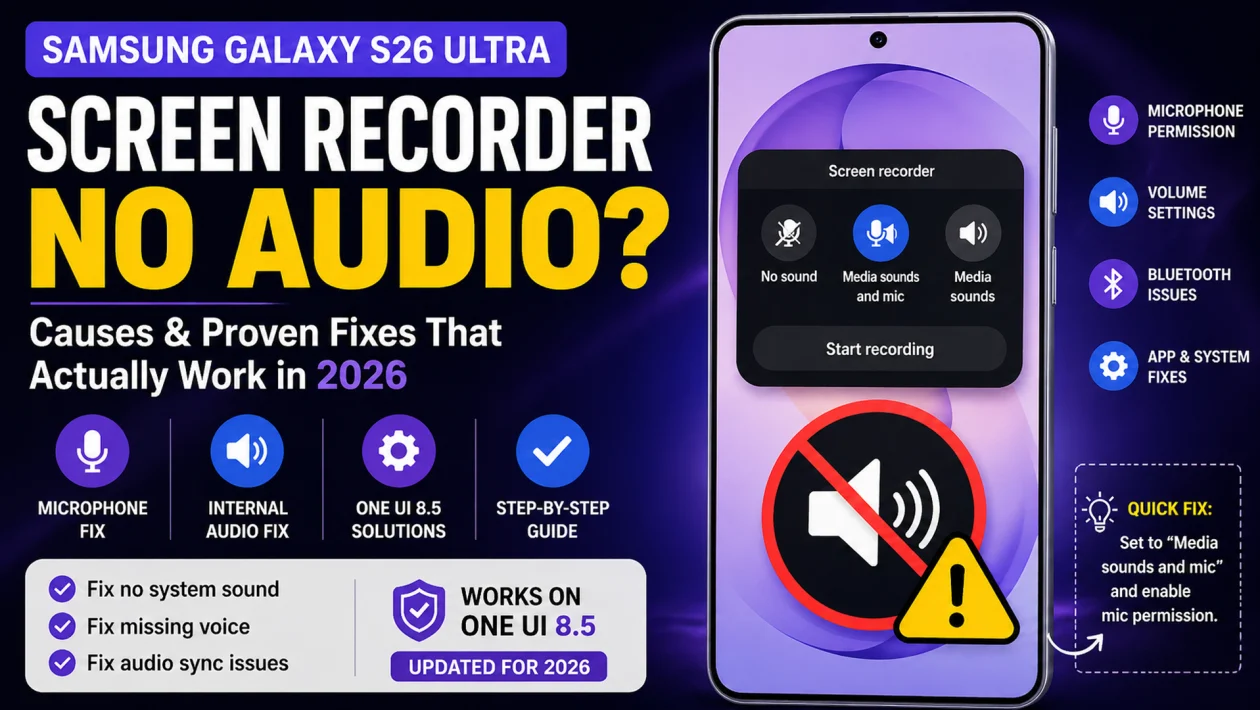
If your Samsung Galaxy S26 Ultra screen recording has no sound, this is not random. It almost always comes down to one setting being wrong or one system behavior blocking audio.
Most people think it’s a bug. It rarely is.
Quick Fix
Set the screen recorder to Media sounds and mic, then make sure microphone permission is enabled.
If that doesn’t fix it, something is blocking one of the two audio channels. This guide breaks down every real cause and how to fix it.
Why Your Samsung Galaxy S26 Ultra Screen Recorder Has No Audio
The screen recorder does not treat audio as one thing. It uses two separate layers:
- System audio (media sounds)
- Microphone input
If either layer is blocked, muted, or redirected, your recording will be silent or partially missing audio.
This usually happens in specific situations, not randomly:
- Right after a software update
- After switching between Bluetooth and speakers
- When another app is using the microphone in the background
- When the recorder resets to default settings
Most common causes:
- Audio source set to No sound
- Microphone permission blocked
- Media volume too low
- Do Not Disturb interfering with alerts
- Bluetooth routing audio away
- Apps locking the microphone
- System glitch after update
Fix 1: Set the Correct Audio Source (Fixes Most Cases)
This is where most people get it wrong.
Steps:
- Swipe down from the top right to open Quick Settings
- Tap Screen recorder
- Choose:
- Media sounds and mic (for voice + system audio)
- or Media sounds (system audio only)
- Start recording
Why this works:
If it’s set to No sound, the recorder ignores all audio inputs completely.
What actually triggers this issue:
- After a software update
- First-time use after setup
- Reset of quick settings
If you only try one fix, try this first. It solves most cases instantly.
Fix 2: Allow Microphone Access (Fixes Missing Voice)
If your recording captures system sounds but not your voice, the microphone is blocked.
Steps:
- Open Settings
- Tap Privacy
- Select Permission manager
- Tap Microphone
- Allow access for Screen recorder
What’s happening:
Android allows only one app to fully control the microphone at a time. If permission is blocked or another app is active, your voice won’t be recorded.
Common scenario:
You used a call app or voice recorder earlier, and it still holds the mic.
Fix 3: Check Media Volume (Looks Like “No Audio” But Isn’t)
This is often misdiagnosed.
Steps:
- Go to Settings
- Tap Sounds and vibration
- Select Volume
- Increase Media volume
What’s actually happening:
The recording has sound, but it’s too low to hear. This is common when volume was lowered before recording.
Quick test: record a short clip and play it at full volume.
Fix 4: Turn Off Do Not Disturb (Affects Some App Audio)
Steps:
- Open Quick Settings
- Tap Do Not Disturb
- Turn it off
When this matters:
- Recording apps that rely on notification sounds
- Recording while receiving alerts or calls
It does not always block audio, but when it does, it creates confusing results.
Fix 5: Disconnect Bluetooth Devices (Hidden but Common)
If you’re using Bluetooth earbuds or speakers, audio may not be recorded properly.
What to do:
- Turn off Bluetooth
- Record again
Why this happens:
Some Bluetooth devices split audio into:
- Media audio
- Call audio (mic channel)
The recorder may capture one but not the other, especially with earbuds that use call profiles.
Real-world case:
Wireless earbuds connected → recording has system sound but no voice.
Fix 6: Close Apps That Use the Microphone
Some apps quietly take control of the mic.
Common culprits:
- Zoom, Messenger, WhatsApp calls
- Voice recording apps
- Other screen recorders
Fix:
- Close all apps from recent apps
- Wait a few seconds
- Try recording again
Even if the app is minimized, it can still block the mic.
Fix 7: Check App Restrictions (Streaming, Games, Secure Apps)
Some apps intentionally block audio recording.
Examples:
- Streaming apps like Netflix or Disney+
- Banking apps
- DRM-protected content
What happens:
- Video records fine
- Audio is muted or removed
This is expected behavior, not a bug.
What to do:
Test recording on a normal app like YouTube or your home screen.
Fix 8: Restart Your Phone (Fixes Glitches Fast)
Steps:
- Tap the Power icon
- Select Restart
- Wait for reboot
Why this works:
It resets audio services, background processes, and app conflicts.
Use this when everything looks correct but still doesn’t work.
Fix 9: Reset App Preferences (Only If Nothing Else Works)
Steps:
- Open Settings
- Tap Apps
- Tap the three-dot menu
- Select Reset app preferences
- Confirm
When to use this:
Only if permissions or defaults are clearly broken.
Important:
This does not delete your data. It resets permissions, default apps, and restrictions.
If It Still Doesn’t Work (Diagnosis Guide)
At this point, don’t guess. Diagnose:
- If no sound at all → audio source or volume issue
- If no voice only → microphone permission or app conflict
- If no sound in specific apps → app restriction
- If random failures after update → system glitch
Next steps:
- Update your software
- Test in Safe Mode
- Try a different screen recorder
What Actually Fixes It Fast (Based on Real Use)
Most users fix this in under a minute by doing one of these:
- Setting Media sounds and mic
- Enabling microphone permission
- Restarting the phone
If those don’t work, the issue is usually more specific like Bluetooth or app conflicts.
Final Take
If your Samsung Galaxy S26 Ultra screen recording has no audio, it’s not random.
It usually comes down to:
- Wrong audio source
- Blocked microphone
- Audio being redirected or restricted
Fix those first, and your recordings should work immediately.
FAQs
Why does my Samsung screen recording have no sound after an update?
Updates often reset audio source settings or permissions. Recheck both before trying anything else.
Why is my screen recorder not picking up my voice?
Either the microphone permission is disabled or another app is using the mic in the background.
Why is there no sound when screen recording games?
Some games or Game Booster settings can limit audio capture. Try recording outside the game to confirm.
Why does screen recording have no sound with Bluetooth earbuds?
Bluetooth devices can route audio differently, especially mic input. Disconnect them and test again.
Why does my screen recording audio stop halfway?
This usually happens when another app takes control of the microphone mid-recording.
Can Samsung screen recorder capture internal audio and mic at the same time?
Yes. Select Media sounds and mic before recording.
