
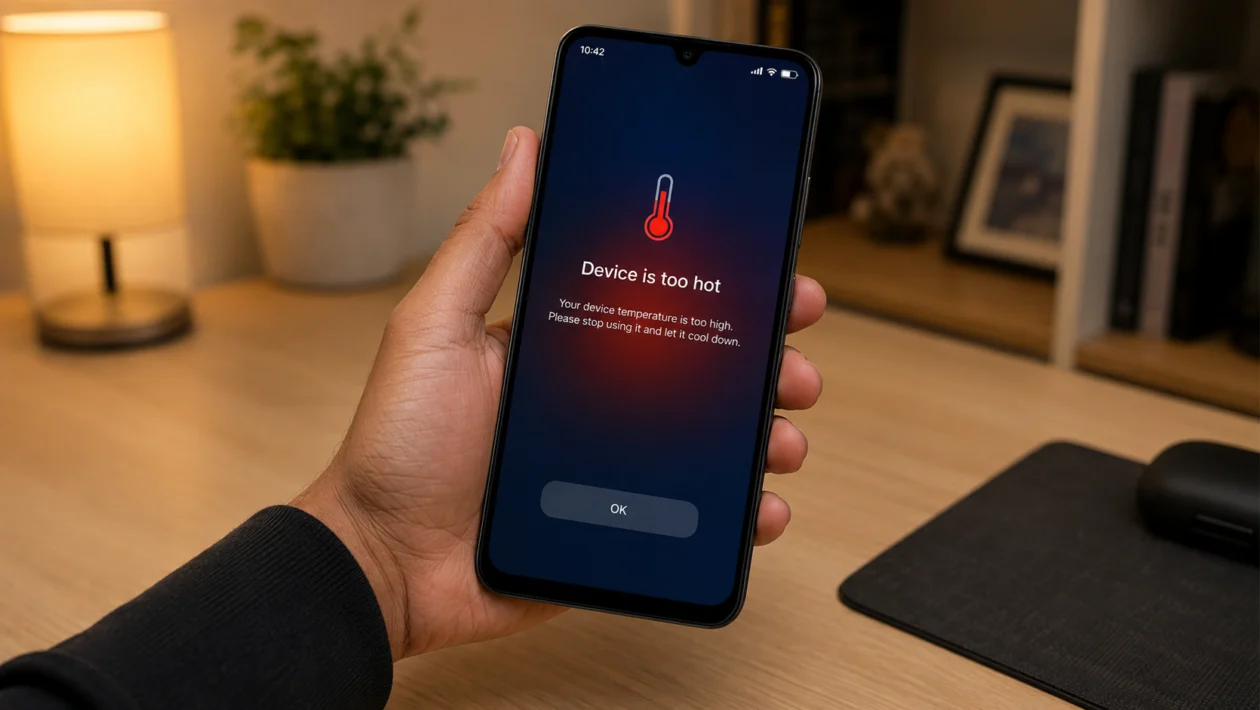
If your Xiaomi Poco C81 Pro gets hot after long use, the problem is usually caused by heavy apps, high brightness, long gaming sessions, camera use, poor signal, charging habits, or too many background processes.
Some warmth is normal during prolonged use. The Poco C81 Pro has a large 6.9-inch LCD display, a 6000mAh battery, and an entry-level UNISOC T7250 processor, so it is built more for everyday use than heavy gaming or long high-load sessions. Xiaomi also says phones can heat up during high-load activities like gaming, camera use, charging, navigation, and frequent app switching.
Start with simple fixes first. Let the phone cool down, remove the case, close heavy apps, lower the screen brightness, and avoid using the phone while charging. If overheating continues even during light use or standby, it may need service.
Quick answer
To fix a Xiaomi Poco C81 Pro overheating during prolonged use, close heavy apps, remove the case, lower brightness, turn off unnecessary connections, avoid gaming while charging, update HyperOS and your apps, and reduce background activity. If the phone stays hot during standby, shuts down, shows a temperature warning, or becomes too hot to hold, stop using it and contact Xiaomi or Poco support.
Xiaomi Poco C81 Pro overheating diagnostic table
| Symptom | Likely cause | What to check first |
|---|---|---|
| Gets hot while gaming | High CPU/GPU load | Lower graphics, frame rate, and screen brightness |
| Gets hot while charging | Charger, case, surface, or app use | Use official charger and stop using the phone while charging |
| Gets hot outdoors | Sunlight and high brightness | Move to shade and lower brightness |
| Gets hot on mobile data | Weak signal or background syncing | Switch to Wi-Fi or improve signal |
| Gets hot while watching videos | Long screen-on time | Lower brightness and close background apps |
| Gets hot after update | App re-optimisation or background activity | Restart, update apps, monitor for 24 to 48 hours |
| Gets hot even when idle | Rogue app or system issue | Check battery usage and background apps |
| Gets hot near camera area | Camera, video, or heavy app use | Stop camera/video use and let it cool |
| Gets hot and drains battery fast | High-load app or weak signal | Check Battery usage |
| Too hot to hold | Possible hardware or battery issue | Stop using it and contact support |
Why your Xiaomi Poco C81 Pro overheats during prolonged use
Your Poco C81 Pro may overheat because prolonged use keeps the screen, processor, battery, radios, and apps active for too long.
Common causes include:
Heavy games
Long video streaming sessions
High screen brightness
Using the phone while charging
Thick phone case trapping heat
Poor mobile signal
Navigation or GPS use
Camera or video recording
Too many background apps
Buggy apps after an update
Hot weather or direct sunlight
Non-official chargers or cables
This does not always mean the phone is defective. But heat should drop after you stop the heavy activity and let the device rest.
1. Stop heavy use and let the phone cool down
Start here before changing settings.
If your Poco C81 Pro is already hot, stop gaming, recording video, streaming, or using navigation. Lock the phone and place it on a cool, dry surface.
Do not put it in a refrigerator or freezer. Sudden temperature changes can create moisture inside the phone.
What to do:
- Stop the app you are using.
- Lock the screen.
- Remove the charger if connected.
- Place the phone on a table.
- Wait 10 to 15 minutes.
- Check whether the temperature drops.
If the phone cools down normally, the issue is probably related to prolonged workload. If it stays hot while idle, move to the next fixes.
2. Remove the case during long use
A thick case can trap heat, especially during gaming, charging, video calls, or navigation.
This is easy to miss because the phone may feel warm only after 20 to 30 minutes of use. The case keeps heat around the back panel and makes cooling slower.
Try this:
- Remove the case.
- Use the phone normally for the same activity.
- Compare the heat after 20 to 30 minutes.
- Avoid thick rubber or enclosed cases during long sessions.
This is especially useful if your Poco C81 Pro overheats while charging or gaming.
3. Lower screen brightness and turn off Outdoor mode
The display is one of the biggest heat and battery users during prolonged use. The Poco C81 Pro supports high brightness levels, including Outdoor mode, which helps visibility outside but can add heat during long sessions.
Go to:
Settings > Display > Brightness level
Then:
- Lower the brightness manually.
- Turn on Auto brightness if it works well for you.
- Avoid using maximum brightness indoors.
- Turn off Outdoor mode when you do not need it.
- Use Reading mode at night if the screen feels too intense.
This fix helps most when the phone heats up while watching videos, browsing, scrolling social media, or using maps.
4. Close heavy apps running in the background
Some apps keep working even after you leave them. Social media, games, camera apps, shopping apps, video apps, and navigation apps can continue using power in the background.
Check battery usage:
Settings > Battery > Battery usage
Look for:
Apps using more power than expected
Apps running for a long time in the background
Recently installed apps
Games or video apps still active after closing
Apps using location often
Then:
- Tap the app.
- Restrict background activity if available.
- Force stop the app if it is stuck.
- Update the app.
- Remove it temporarily if the overheating started after installing it.
Do not restrict essential messaging apps if you rely on real-time notifications.
5. Avoid gaming or watching videos while charging
Charging creates heat. Gaming creates heat. Using both at the same time makes overheating much more likely.
This matters more on budget and entry-level phones because the cooling system and chipset are not designed for long, heavy workloads.
Better charging habit:
- Plug in the phone.
- Leave it on a flat, hard surface.
- Avoid beds, pillows, sofas, or blankets.
- Do not play games while charging.
- Remove the case if the phone gets warm.
- Use the official charger and cable when possible.
If the phone gets hot only while charging, test another official or high-quality compatible cable and adapter.
6. Reduce game graphics and frame rate
If your Poco C81 Pro overheats during Mobile Legends, Free Fire, Roblox, PUBG Mobile, or similar games, the phone may be working harder than it should.
The Poco C81 Pro is better suited for daily apps, messaging, browsing, and light gaming. Long sessions with high graphics can push the processor and GPU for too long.
Change these in the game settings:
Graphics: Low or Smooth
Frame rate: Medium or Standard
Shadows: Off
Anti-aliasing: Off
HD textures: Off
Voice chat: Off if not needed
Background downloads: Off
Then restart the game and test again.
You may lose some visual quality, but the phone should run cooler and drain battery more slowly.
7. Turn off unused connections
Connections can add heat during long use, especially when several are active at the same time.
Turn off anything you are not using:
Bluetooth
Hotspot
GPS/location
NFC
Nearby Share or Quick Share
Mobile data when using Wi-Fi
Wi-Fi scanning
Bluetooth scanning
Go to:
Settings > Location
Then check which apps recently used location. If an app does not need constant location access, change it to “Allow only while using the app” or deny it.
This helps if the Poco C81 Pro heats up during travel, navigation, food delivery apps, ride-hailing apps, or long mobile data sessions.
8. Use Wi-Fi instead of weak mobile data
Weak mobile signal can make your phone work harder to stay connected. This can cause heat and faster battery drain, especially during long video streaming, downloads, calls, or online games.
This often happens:
Inside buildings
In elevators
In basements
In rural areas
While commuting
In areas with weak 4G signal
Try this:
- Switch to Wi-Fi if available.
- Move closer to a window.
- Turn Airplane mode on and off to refresh the connection.
- Avoid long downloads on weak signal.
- Restart the phone if mobile data feels unstable.
If overheating only happens with mobile data and not Wi-Fi, signal strength may be the real cause.
9. Update HyperOS and your apps
Software bugs can cause overheating. A bad app update, background sync issue, or system bug can keep the phone active longer than normal.
Update the phone:
Settings > About phone > HyperOS version > Check for updates
Update apps:
Google Play Store > Profile icon > Manage apps and device > Update all
Also check:
GetApps or Xiaomi system app updater if available on your region’s software build.
After a system update, it is normal for the phone to feel warmer for a short time while apps and system services settle. Restart the phone and monitor it for 24 to 48 hours.
If one app keeps causing heat after updates, uninstall it temporarily and check whether the phone improves.
10. Reset settings or contact Xiaomi support if overheating continues
Use this only after trying the basic fixes.
If your Poco C81 Pro still overheats during normal use, reset app preferences or settings before doing a full factory reset.
Try resetting settings first:
Settings > Additional settings > Reset options
Depending on your software version, you may see options such as reset Wi-Fi, mobile networks, Bluetooth, or app preferences.
Before a factory reset:
- Back up photos, videos, contacts, and files.
- Remove important authenticator or banking app dependencies.
- Make sure you know your Google and Xiaomi account passwords.
- Charge the phone enough before resetting.
Contact Xiaomi or Poco support if:
The phone gets hot while idle
It overheats during standby
It shows repeated temperature warnings
It shuts down by itself
The battery swells
The back panel lifts
It smells unusual
It is too hot to hold
Overheating started after physical damage or water exposure
Do not keep using the phone if you suspect battery damage.
Best settings to reduce Poco C81 Pro overheating
Use these settings for long sessions:
| Setting | Recommended option |
|---|---|
| Brightness | Manual low to medium |
| Outdoor mode | Off unless needed |
| Game graphics | Low or Smooth |
| Frame rate | Standard or Medium |
| Location | Only while using app |
| Hotspot | Off when unused |
| Bluetooth | Off when unused |
| Battery saver | On during long basic use |
| Background apps | Restricted for non-essential apps |
| Charging | Avoid gaming while charging |
Is overheating normal on the Xiaomi Poco C81 Pro?
Some heat is normal during long use, especially while gaming, charging, recording video, using GPS, or using the phone under direct sunlight.
It is not normal if the phone stays hot while idle, becomes too hot to hold, shuts down, or shows repeated temperature warnings. In that case, stop using it and get the phone checked.
FAQ
Why does my Poco C81 Pro heat up when I play games?
Games use the processor, GPU, screen, speaker, network, and battery at the same time. Lower the graphics, reduce frame rate, close background apps, and avoid playing while charging.
Should I use battery saver to stop overheating?
Battery saver can help because it reduces background activity and limits some performance behavior. It is useful during long browsing, messaging, or video sessions, but it may affect notifications and performance.
Can a phone case cause overheating?
Yes. A thick or poorly ventilated case can trap heat, especially during gaming, charging, video calls, and navigation.
