
The Always On Display feature makes it easy to check the time, battery level, and notifications without unlocking your phone. It’s one of the most …

Learn how to get the most out of your smartphone with our mobile category. We provide tutorials to master your device’s features and troubleshooting tips to fix common iPhone and Android issues.
The Always On Display feature makes it easy to check the time, battery level, and notifications without unlocking your phone. It’s one of the most …

If your Galaxy S25 Ultra suddenly stops letting you pay using Samsung Pay or Google Pay, it can be annoying, especially when you’re at checkout …

Seeing the same name appear multiple times in your contact list can be annoying. It makes calling or messaging confusing and clutters your address book. …
The Clock app is one of the most essential tools on your OnePlus 13. You rely on it for alarms, timers, and reminders. But when …
Voice typing makes sending messages or taking notes faster and more convenient. Instead of tapping on the keyboard, you simply speak, and your phone converts …
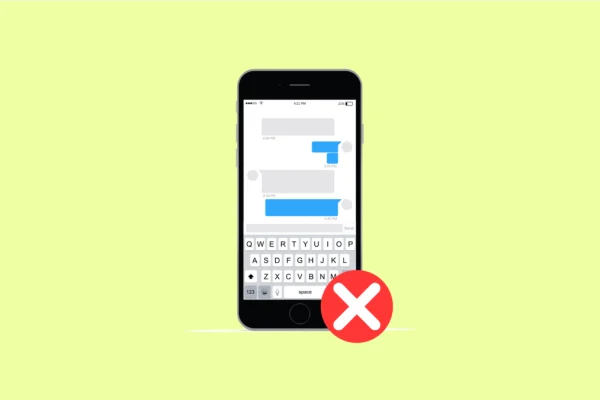
When your keyboard fails to appear, typing becomes impossible. You can’t send messages, search online, or even enter passwords. If your Samsung Galaxy S25 Ultra …
Accidental Touch Protection helps prevent unwanted screen interactions when your OnePlus 13 is in your pocket or bag. It uses the proximity sensor to detect …
Few things are more annoying than a video that keeps buffering, especially when you have a strong connection. If your OnePlus 13 struggles to stream …
NFC, or Near Field Communication, allows your Galaxy S25 Ultra to make contactless payments, pair devices instantly, and share files with just a tap. When …
Widgets make your Galaxy S25 Ultra more convenient by showing quick info right on your Home screen. You can see the weather, control music, or …
Music is a big part of daily life, and it’s frustrating when your OnePlus 13 suddenly refuses to play your favorite tracks. Whether you’re using …
The Adaptive Battery feature on your OnePlus 13 is designed to learn your usage habits and limit background activity for apps you rarely use. It …

Text zooming makes reading easier, especially when you prefer larger fonts for comfort. But if your OnePlus 13 won’t let you zoom in on text …
If you’ve recently taken a screenshot on your OnePlus 13 and noticed that the status bar is missing, you’re not alone. Many users have reported …
The Clock app is an essential tool on your Galaxy S25 Ultra. It handles alarms, timers, and world clocks, all of which help you stay …