
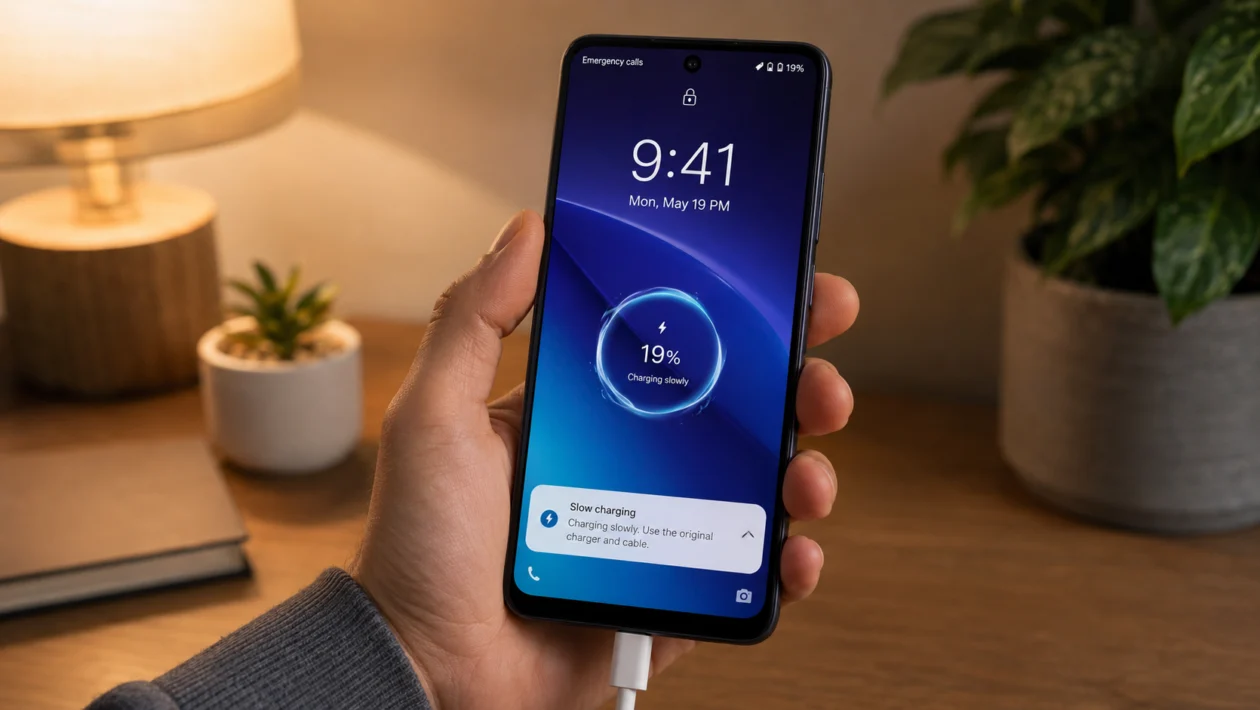
If your vivo Y60 is not fast charging, the problem may not be the phone right away. It can happen because of the charger, USB cable, charging port, power outlet, phone temperature, battery settings, software bugs, or a charger that does not match the phone’s supported charging standard.
Start with the basics first. Use the original vivo charger and cable, check the USB-C port, restart the phone, and make sure the phone is not too hot while charging.
One thing matters before you troubleshoot: some vivo Y60 listings show the phone with 15W charging support. That means using a 44W, 67W, or 90W charger may not make it charge at those speeds. The phone will only charge as fast as the device, cable, adapter, battery, and charging protocol allow.
Quick answer
If your vivo Y60 fast charger is not working, first use the original vivo charger and USB cable. Then clean the charging port, try another wall outlet, restart the phone, and check whether the phone is hot.
If the phone charges normally but does not show fast charging, your charger or cable may not support the right vivo charging protocol. If your vivo Y60 variant only supports 15W charging, a higher-watt charger will not make it charge much faster.
vivo Y60 fast charging problem diagnostic table
| Problem | Likely cause | What to check first |
|---|---|---|
| Phone charges slowly | Wrong charger or cable | Original vivo charger and USB cable |
| Fast charging does not appear | Charger protocol mismatch | vivo-compatible adapter |
| Charging keeps disconnecting | Loose cable, dirty port, damaged cable | USB-C port and cable |
| Phone charges only at certain angles | Port or cable damage | Charging port inspection |
| Phone gets warm while charging | Heat protection slowing charging | Case, room temperature, background apps |
| Charging is slow after update | Software or app issue | Restart and update apps |
| Phone does not charge at all | Charger, cable, outlet, or hardware issue | Test another charger and outlet |
| Fast charger works on other phones | vivo Y60 charging limit or port issue | Phone charging support and USB-C port |
| vivo Y60 charges slowly overnight | Battery protection or background usage | Battery settings and apps |
| Battery drains while charging | Heavy app, hotspot, gaming, or bad cable | Stop power-heavy apps |
Why is my vivo Y60 fast charger not working?
Your vivo Y60 fast charger may not be working because the phone is not detecting the charger properly. Fast charging usually needs the right phone, adapter, USB cable, charging port condition, battery temperature, and charging protocol.
Common causes include:
- Non-original charger
- Damaged or low-quality USB cable
- Dust or lint inside the USB-C port
- Weak wall outlet or extension cord
- Phone getting too hot
- Background apps using power while charging
- Software glitch after an update
- Fast charging limit on your vivo Y60 variant
- Moisture, dirt, or damage inside the charging port
- Battery or charging hardware issue
Use the fixes below in order.
1. Use the original vivo charger and cable
Start here before changing phone settings.
vivo fast charging works best when the phone, charger, cable, and battery support the same charging protocol. A random USB-C charger may still charge the phone, but it may not trigger fast charging.
Use the charger and USB cable that came with the phone. If you no longer have them, use a genuine vivo charger that supports your vivo Y60 model.
Avoid cheap fast chargers that only advertise high wattage. A charger can say 67W or 90W and still fail to fast charge your vivo Y60 if it does not support the right protocol.
2. Check if the vivo Y60 actually supports your charger speed
This is the part many users miss.
A higher-watt charger does not force a phone to charge faster. The phone controls the charging speed. If your vivo Y60 variant supports only 15W charging, a 44W, 67W, or 90W charger may still charge it at a lower speed.
This does not always mean the charger is broken.
Check your exact vivo Y60 model number and regional product page. Some listings and comparison pages show vivo Y60 with a large 6500 mAh battery and 15W charging. If that matches your unit, the phone may be working normally even if it does not show very fast charging.
3. Inspect the USB-C cable
A weak cable is one of the most common reasons fast charging stops working.
Even if the cable looks fine outside, the inside wires may be damaged. Fast charging needs a cable that can safely carry the required current. Some cables are only good enough for basic charging.
Try this:
- Remove the cable from the charger and phone.
- Check both ends for bent pins, dirt, burn marks, or looseness.
- Try another genuine vivo USB cable.
- Plug the phone in again.
- Check whether charging speed improves.
If fast charging works with another cable, replace the old one.
4. Clean the charging port carefully
Dust, lint, and pocket debris can block the USB-C connector. When the cable cannot sit properly, the phone may charge slowly, disconnect, or fail to detect fast charging.
Turn off the phone before cleaning the port.
Use:
- A soft dry brush
- A wooden toothpick
- A clean flashlight
- A dry microfiber cloth
Do not use:
- Metal pins
- Wet cotton buds
- Liquid cleaner
- Compressed air at close range
- Sharp tools
Gently remove visible dust from the port. Then reconnect the charger and check if the cable fits firmly.
5. Try another wall outlet
Sometimes the charger is fine, but the power source is weak.
Plug the vivo charger directly into a wall outlet. Avoid charging through a laptop, TV USB port, power strip, old extension cord, or car USB port when testing fast charging.
Try this:
- Unplug the charger.
- Move to another wall outlet.
- Plug the charger directly into the wall.
- Connect your vivo Y60.
- Wait a few seconds and check the charging status.
If fast charging works in another outlet, the first outlet or extension may be the issue.
6. Restart your vivo Y60
A restart can fix temporary charging detection problems.
If the phone recently updated, froze, overheated, or ran many apps in the background, the charging system may not behave normally until the phone restarts.
To restart your vivo Y60:
- Press and hold the Power button.
- Tap Restart.
- Wait for the phone to turn back on.
- Connect the charger again.
- Check if fast charging works.
This will not delete your files.
7. Let the phone cool down before charging
Fast charging creates heat. If your vivo Y60 is already warm, the phone may slow down charging to protect the battery.
This often happens after:
- Gaming
- Video recording
- Hotspot use
- Long camera sessions
- Charging under a pillow
- Using the phone in direct sunlight
- Charging with a thick case on
Remove the phone case and let the phone cool for 10 to 15 minutes. Then plug it in again.
Do not place the phone in a freezer or near ice. Sudden temperature changes can cause moisture inside the phone.
8. Stop heavy apps while charging
If your vivo Y60 is gaming, streaming, downloading files, using GPS, or sharing hotspot while plugged in, it may look like the fast charger is not working.
The charger may be supplying power, but the phone is using much of it at the same time.
Before charging:
- Close games and video apps.
- Turn off mobile hotspot.
- Stop GPS navigation.
- Turn off Bluetooth if you do not need it.
- Lock the screen while charging.
For the best test, charge the phone with the screen off for 10 minutes and check whether the battery percentage rises faster.
9. Update the phone software
Software bugs can affect charging behavior. A system update may also improve charging stability, battery management, and device temperature control.
To update your vivo Y60:
- Open Settings.
- Tap System update.
- Check for updates.
- Install any available update.
- Restart the phone after updating.
Also update your apps from the Play Store. A buggy app running in the background can make charging feel slow.
If fast charging stopped right after an update, restart the phone and test charging again for a day. New updates can temporarily increase background activity while apps and system services settle.
10. Test another charger, then visit vivo service if needed
If none of the fixes work, test the phone with another genuine vivo charger and cable.
This helps you separate the problem:
| Test result | What it means |
| Another charger works | Your old charger or cable is likely faulty |
| No charger works | The phone port, battery, or charging circuit may need service |
| Charger works only at an angle | The cable or USB-C port may be damaged |
| Phone gets very hot while charging | Stop charging and get the phone checked |
| Phone does not charge at all | Visit a vivo service center |
Do not keep using a charger if it smells burnt, gets unusually hot, makes noise, or has a damaged cable.
When to contact vivo support
Contact vivo support or visit a service center if:
- The phone does not charge with any charger
- The USB-C port feels loose
- The phone charges only when the cable is bent
- The battery percentage goes down while plugged in
- The phone becomes very hot while charging
- You see moisture, burn marks, or damage near the port
- Fast charging stopped after a drop or liquid exposure
Do not open the phone yourself unless you are trained to repair phones. Battery and charging parts can be unsafe if handled incorrectly.
FAQ
Why is my vivo Y60 not fast charging?
Your vivo Y60 may not fast charge because of the wrong charger, damaged USB cable, dirty charging port, weak outlet, high phone temperature, background apps, or software issues. It may also be charging normally if your exact Y60 variant only supports a lower charging wattage.
Can I use a 67W charger on vivo Y60?
You can use a compatible USB-C charger, but the phone will only draw the charging speed it supports. If your vivo Y60 supports 15W charging, a 67W charger will not make it charge at 67W.
Why does my vivo Y60 charge slowly with a fast charger?
The charger may not support the right vivo charging protocol, the USB cable may be weak, or the phone may be limiting charging because of heat. Test with the original vivo charger and cable first.
